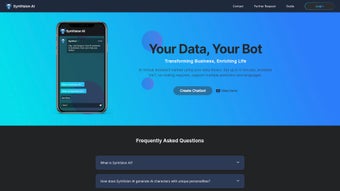

Download SynVision AI – AI Virtual Assistant Creation Tool, No‑Code, Multi‑Language
Overview
SynVision AI is a cloud‑based, no‑code platform that lets businesses, educators, and developers create fully customized AI virtual assistants without writing a single line of code. By uploading or linking to a personal data library—documents, FAQs, product manuals, or conversational logs—the engine automatically extracts context, builds intent models, and trains a chatbot that mirrors your brand voice and industry terminology. Security is a top priority: all data is encrypted with AES‑256 at rest and TLS 1.3 in transit, and the service complies with GDPR, CCPA, and ISO‑27001 standards.
The intuitive drag‑and‑drop interface guides users through data import, personality selection, and conversation‑flow design, making it possible for non‑technical teams to launch a functional assistant in under an hour. Multilingual support covers more than 30 languages, with automatic translation that preserves tone and intent, enabling global enterprises to deliver consistent experiences across regions. SynVision AI integrates seamlessly with popular channels such as websites, mobile apps, Slack, Microsoft Teams, and voice assistants like Alexa and Google Assistant.
The subscription model includes regular AI model updates, performance analytics, and a sandbox environment for safe testing before going live. Whether you need a sales‑driven chatbot for e‑commerce, a technical support assistant for SaaS products, or an interactive tutor for online courses, SynVision AI provides a scalable, secure, and cost‑effective solution that grows with your organization’s needs.
Key Features
The platform combines a rich feature set with a user‑friendly design, allowing you to focus on conversation quality rather than infrastructure.
Below is a curated list of the most compelling capabilities that differentiate SynVision AI from traditional chatbot builders.
- No‑Code Builder: Visual workflow editor lets you design conversation trees, set fallback responses, and add conditional logic without programming.
- Data‑Driven Training: Import PDFs, CSVs, knowledge‑base articles, or connect to APIs; the engine extracts context and creates a domain‑specific model.
- Multilingual Support: Built‑in translation engine automatically serves users in more than 30 languages, preserving tone and intent.
- Cross‑Platform Integration: One‑click connectors for WordPress, Shopify, HubSpot, Zendesk, as well as RESTful webhooks for custom integrations.
- Robust Security: AES‑256 encryption at rest, TLS 1.3 in transit, role‑based access control, and audit logs for compliance.
- Analytics Dashboard: Real‑time metrics on user engagement, sentiment analysis, and intent accuracy to guide continuous improvement.
- 24/7 Support & Community: Dedicated account managers, live chat, and a developer forum for sharing templates and best practices.
- Scalable Architecture: Auto‑scaling cloud infrastructure ensures low latency even during peak traffic spikes.
Together, these features empower organizations to build powerful, secure, and multilingual assistants while keeping development time and costs to a minimum.
Installation & Usage Instructions
Getting started with SynVision AI is designed to be as frictionless as possible. Follow these detailed steps to launch your first virtual assistant and make the most of the platform’s capabilities.
- Create an Account: Visit the SynVision AI website, click “Sign Up,” and choose a plan that matches your expected usage. A 14‑day free trial provides full access to every feature.
- Verify Email & Set Up Workspace: Confirm your email address, then log in to the dashboard. Create a new workspace that will host all of your assistants and data sources.
- Upload Your Data Library: Use the “Data Import” button to drag‑and‑drop files or connect to cloud storage services such as Google Drive, OneDrive, or Dropbox. The platform parses the content, suggests intent tags, and highlights ambiguous sections for manual review.
- Configure the Assistant: Open the visual builder, give your assistant a name, select a personality template (e.g., “Professional,” “Friendly,” “Technical”), and map intents to responses. You can add custom fallback phrases, define escalation rules to human agents, and set confidence thresholds for automated replies.
- Test in the Sandbox: The built‑in chat simulator lets you converse with your assistant in real time. Adjust wording, add synonyms, and refine the confidence threshold until responses feel natural and accurate.
- Deploy: Choose the integration channel—embed code for a website widget, install the WordPress plugin, or generate an API key for custom apps. Activate the assistant with a single click, and watch it go live instantly.
- Monitor & Optimize: The analytics panel provides insight into user satisfaction scores, drop‑off points, and language usage. Iterate by uploading new data, tweaking conversation flows, or enabling advanced sentiment analysis.
With these steps, most users can launch a basic, fully functional assistant in under an hour, while advanced configurations can be refined over subsequent weeks.
Compatibility, Pros & Cons
SynVision AI is a pure SaaS solution that runs in any modern browser—Chrome, Edge, Firefox, or Safari—on Windows 10/11, macOS, Linux, as well as mobile browsers on Android and iOS. No local installation is required, and the platform updates automatically with the latest AI models and security patches.
Pros
- Zero‑code development dramatically reduces time‑to‑market.
- Multilingual capabilities expand global reach without additional translation services.
- Strong security and compliance make it safe for handling sensitive corporate data.
- Extensive integration options eliminate the need for custom middleware.
- Scalable cloud infrastructure ensures consistent performance under load.
- Comprehensive analytics help you continuously improve the assistant’s effectiveness.
Cons
- Reliance on an internet connection; offline usage is not supported.
- Advanced customizations (e.g., deep neural‑network fine‑tuning) require higher‑tier plans.
- Learning curve for complex conversation flows may be steep for absolute beginners.
- Pricing can become significant for enterprises with massive data ingestion needs.
- Limited on‑premise deployment options for highly regulated environments.
FAQ & Final Verdict
Can I use SynVision AI without any technical background?
Yes. The platform’s drag‑and‑drop builder, pre‑made personality templates, and automatic data parsing are specifically designed for non‑technical users. You can create a functional assistant by following the guided setup wizard.
How does SynVision AI protect my uploaded data?
All files are encrypted with AES‑256 at rest and transmitted over TLS 1.3. Role‑based access control lets you limit who can view or edit data, and detailed audit logs are available for compliance reporting.
What languages does the multilingual engine support?
SynVision AI currently supports over 30 languages, including English, Spanish, Mandarin, German, French, Arabic, Japanese, Korean, Portuguese, Italian, Dutch, Russian, and many regional dialects. New languages are added regularly.
Is there a free trial or a free tier?
A 14‑day free trial is available with unlimited access to all features. After the trial, you can choose a subscription plan that matches your usage; there is no permanently free tier, but the trial lets you evaluate the platform fully.
Can I integrate SynVision AI with existing CRM or ticketing systems?
Yes. Built‑in connectors are provided for major CRMs (Salesforce, HubSpot) and ticketing platforms (Zendesk, Freshdesk). For custom solutions, RESTful APIs and webhooks enable bi‑directional data exchange.
Final Verdict
SynVision AI stands out as a comprehensive, secure, and user‑friendly platform for creating AI virtual assistants without the need for code. Its blend of rapid deployment, multilingual reach, and deep integration options makes it a solid choice for businesses that want to enhance customer interaction while maintaining strict data governance. While the reliance on a constant internet connection and the cost at scale are considerations, the overall value proposition—speed, flexibility, and robust analytics—far outweighs the drawbacks for most organizations.
Ready to transform the way your brand engages with customers? Start your free trial today and experience a no‑code AI assistant that learns from your own data, speaks every language your audience needs, and integrates wherever your users are.
- Pros: zero‑code, multilingual, secure, extensive integrations, scalable.
- Cons: internet‑only, higher‑tier pricing for advanced features, learning curve for complex flows.



.png)



